Filter and Compare Mac mini and Mac Studio Cloud Rental Plans
Filter Mac mini and Mac Studio plans by hardware, location and recorded sales status. Compare full-period prices in their original currencies, minimum rental terms, minimum payments and documented access rights. Confirm ordering conditions with the provider.
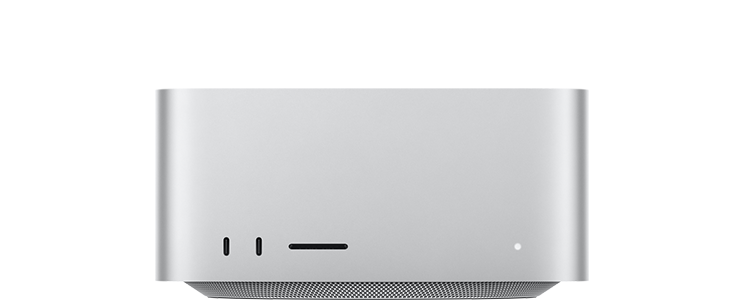
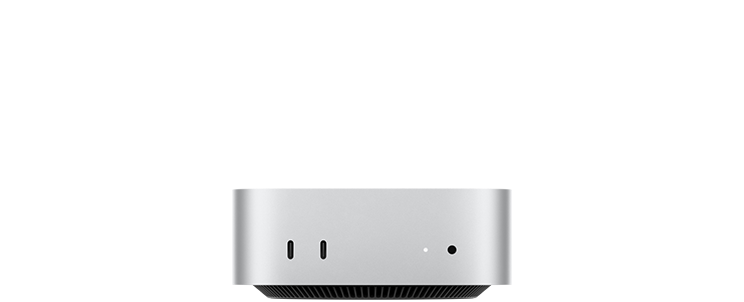
Filter Cloud Mac Plans by Hardware and Location
Choose Mac mini or Mac Studio, then filter by chip, memory, storage, location or access rights. Select a currency and full billing period before setting a quote cap.
FiltersShow filters
Compare Rental Prices, Commitments and Access Rights
Review matching configurations and term quotes, or select up to five configurations to compare. Each plan shows its recorded status: Available, Contact for Quote, Sold Out or Unavailable.
Select a currency and full billing period to sort by published price.
“/” means not disclosed or not obtained, rather than not provided. Prices and stock reflect the recorded check; confirm with the provider before ordering.
No plans match these filters
Try a higher quote cap, different chip, memory capacity or location, or reset all filters.
Plans Recorded as Available0
| Provider / location | Device / chip | RAM / storage | Price / billing | Availability | Static IP | Residential IP | Actions |
|---|
Plans Requiring a Quote0
Contact the provider to confirm ordering and delivery. Listed prices do not confirm stock availability.
| Provider / location | Device / chip | RAM / storage | Price / billing | Availability | Static IP | Residential IP | Actions |
|---|
Sold Out or Unavailable Plans1
| Provider / location | Device / chip | RAM / storage | Price / billing | Availability | Static IP | Residential IP | Actions |
|---|---|---|---|---|---|---|---|
| xawehoGermany | M4Mac miniDedicated physical machineAdmin access: Not recorded | 32 GB1000 GB SSD | EUR 159/month EUR 159/month | Sold out | Provided | / | View Official PlanDetails & sources+ |
Understand Rental Prices and Minimum Payments
Review the full billing period, minimum rental term and minimum payment alongside each listed rate. Check setup fees, required extras, taxes and renewal terms separately.
Estimates use published quotes. Unknown fees are not zero; annual plans use the full upfront billing period. Do not add minimum payment a second time to the initial amount.
Full Billing Periods and Minimum Rental Terms
Compare annual totals as annual commitments. Hourly pricing may also carry a minimum term, so check both the billing period and rental commitment.
Minimum Payments, Extra Charges and Renewals
Minimum payments, initial estimates and term quotes may overlap; avoid counting the same charge twice. Unknown fees remain unconfirmed. See the cost method for details.
Mac Cloud Rental Plan Comparison FAQ
Learn how to interpret prices, access rights and sales status, and what to check before choosing a plan for development, AI models or ongoing tasks.
How do I filter Mac plans by chip, memory and location?
Select Mac mini or Mac Studio, then choose the chip, memory capacity and hosting location. For example, select Mac mini, M4 and 32GB RAM to find that configuration. Set availability to “Available” to focus on plans recorded as available at the source-check date, For a budget cap, select one currency and a full billing period, then enter a quote cap. Starting rates do not establish that a plan fits the cap; confirm unknown taxes and extras separately. Review minimum payments and access rights as well.
Why might the amount due exceed the hourly or monthly rate?
Check the billing period, minimum rental term and minimum upfront payment. A monthly rate may assume a longer payment cycle, while an hourly-priced product may still require a minimum commitment. Setup fees, taxes or required extras may also apply. AWS EC2 Mac Dedicated Hosts, for example, have a 24-hour minimum allocation period. AWS documentation ↗
How do I check dedicated hardware and admin access?
Check “Resource Allocation” and “Admin Access” separately. The first identifies dedicated hardware, a shared environment or a virtual machine; the second records administrator or sudo permissions. Physical Mac hardware alone does not establish exclusive use or admin access. Fields without clear official documentation remain unconfirmed.
Which specifications should I compare for AI model workloads?
Start with the memory capacity required by your target model, then compare the exact chip, unified memory, storage and installation permissions. Allow room for the operating system, model and runtime caches rather than treating all unified memory as available VRAM. Model choice, quantization and context length also affect resource needs. MLX documentation ↗
What should I confirm for ongoing scripts and automation?
Check admin access, SSH, software installation, daily usage allowances and continuous-runtime restrictions. For unattended work, also review connection recovery after restarts, idle-session handling and maintenance arrangements. Compare plans that explicitly support these requirements rather than choosing on chip and memory alone.
How do I check location and environment requirements for Claude Code?
Check Anthropic’s supported locations and account requirements, then review rental plans in suitable locations. Compare operating system compatibility, installation permissions, SSH and connectivity. Checking these together helps you rule out mismatched environments before setting up a persistent remote workspace. Claude Code requirements ↗, supported locations ↗
What do Available, Contact for Quote, Sold Out and Unavailable mean?
“Available” describes whether a rental plan was shown as orderable at the recorded source-check date; renting describes the service relationship, not ownership of the machine. Available requires explicit official stock or ordering evidence for that configuration. Details separately explain sales-assisted activation, login requirements and permitted uses. Contact for Quote requires supplier confirmation; Sold Out is an explicit stock notice; Unavailable means the official source currently does not offer purchase. An unspecified location is not a choice of any worldwide facility. Collection failures are not automatically labeled Sold Out.
What should I do with code, accounts and files before ending a rental?
Export the code and files you need, sign out of accounts, revoke credentials specifically authorized for that machine, and follow the provider’s data-cleanup procedure. Review its device-reset, backup-retention and end-of-rental instructions rather than relying only on deleting visible files.